

Merchant portal
API keys
Your backend uses an API key to call Shoppingate's server-to-server API. One key works for all your Mini Apps.
1. Create a key
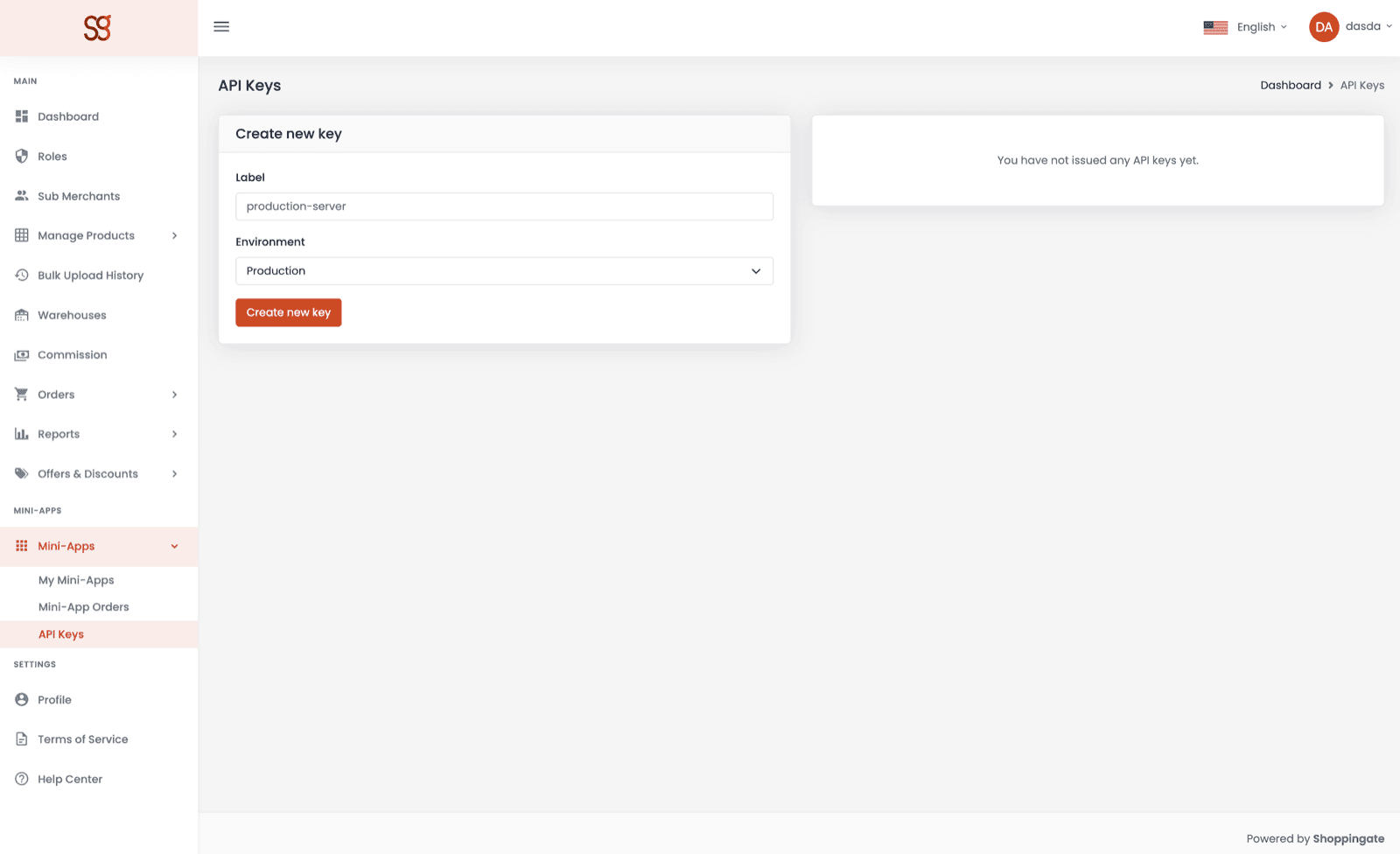
Open Mini-Apps → API Keys and fill in Create new key:
Label
A name to recognise the key, for example
production-server.Environment
Production or Sandbox. Create one key for each environment.
Click Create new key.
2. Copy it now
The full key is shown only once. Click Copy and store it safely on your server before you leave the page.
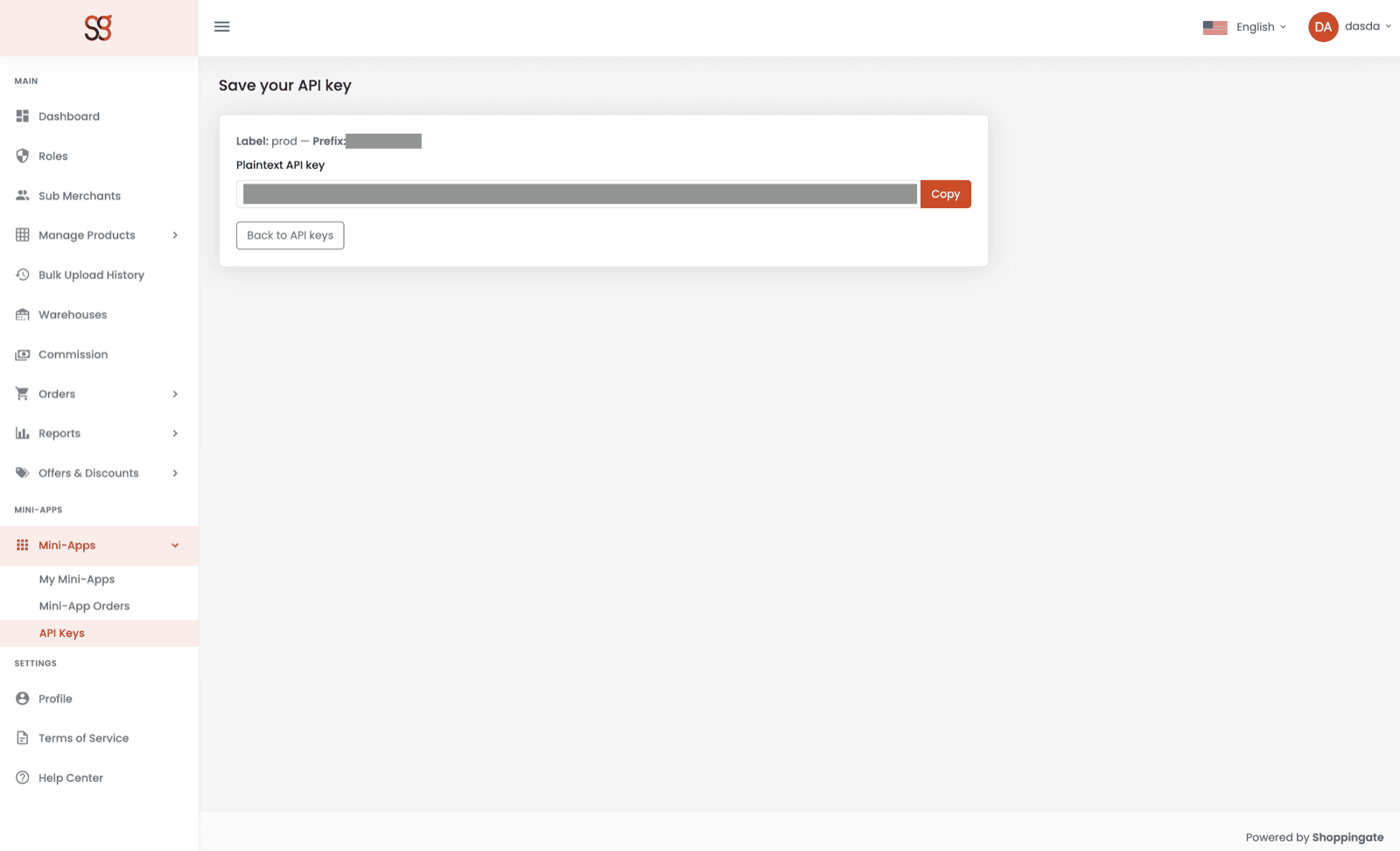
Keep the key on your server. Never put it in your Mini App's code or share it. If it leaks, revoke it and create a new one.
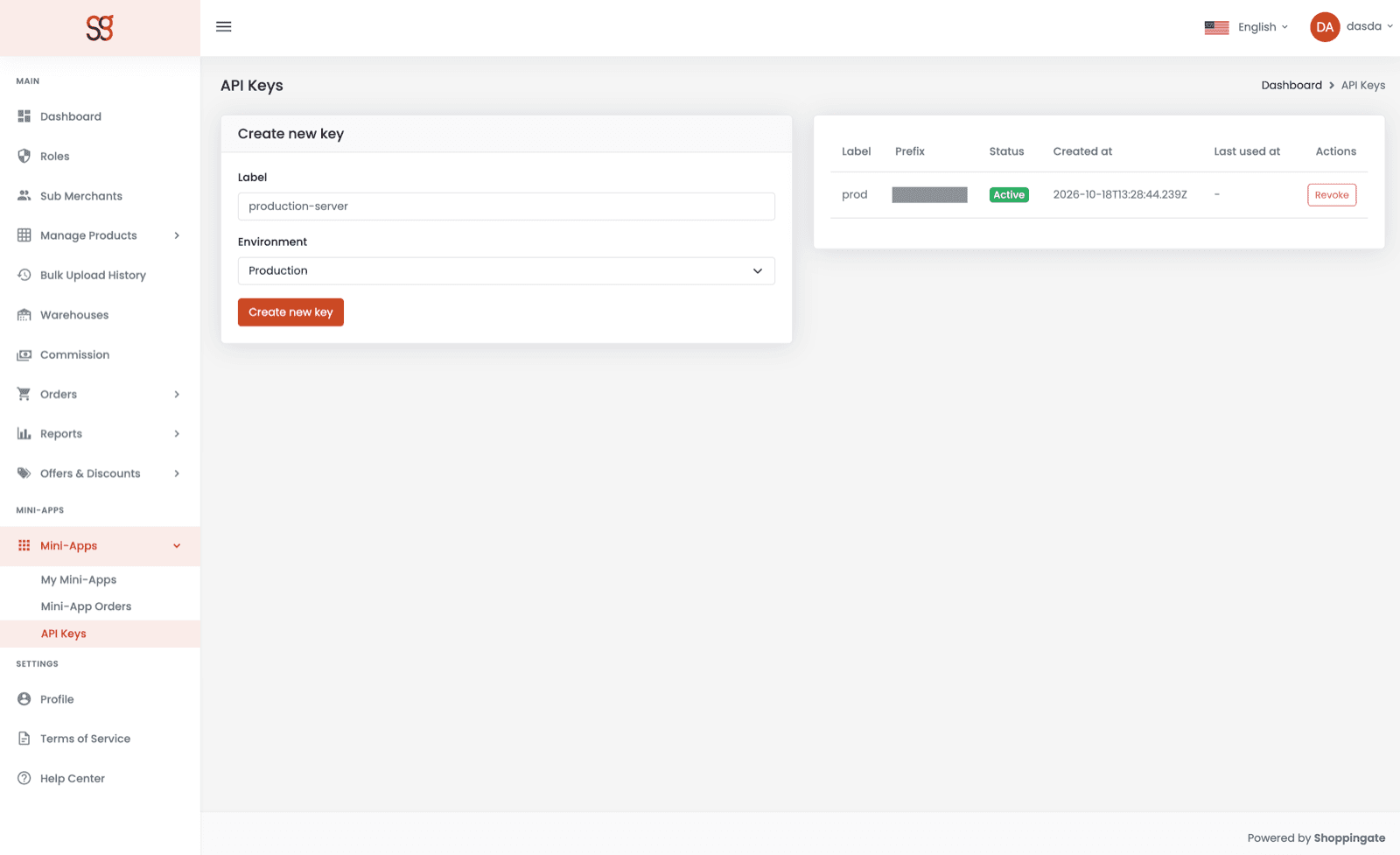
3. Manage your keys
The list shows each key's Label, Prefix (the first characters, so you can tell keys apart), Status, when it was created and last used. Click Revoke to stop a key from working.
How your backend sends the key is explained in Backend integration → Overview.