Merchant portal
Orders
Every order placed in your Mini Apps, with its status and payment.
The order list
Open Mini-Apps → Mini-App Orders to see the orders of all your Mini Apps, or the Orders tab of one Mini App. Filter by Mini-App, Status and a From / To date, then click Apply.
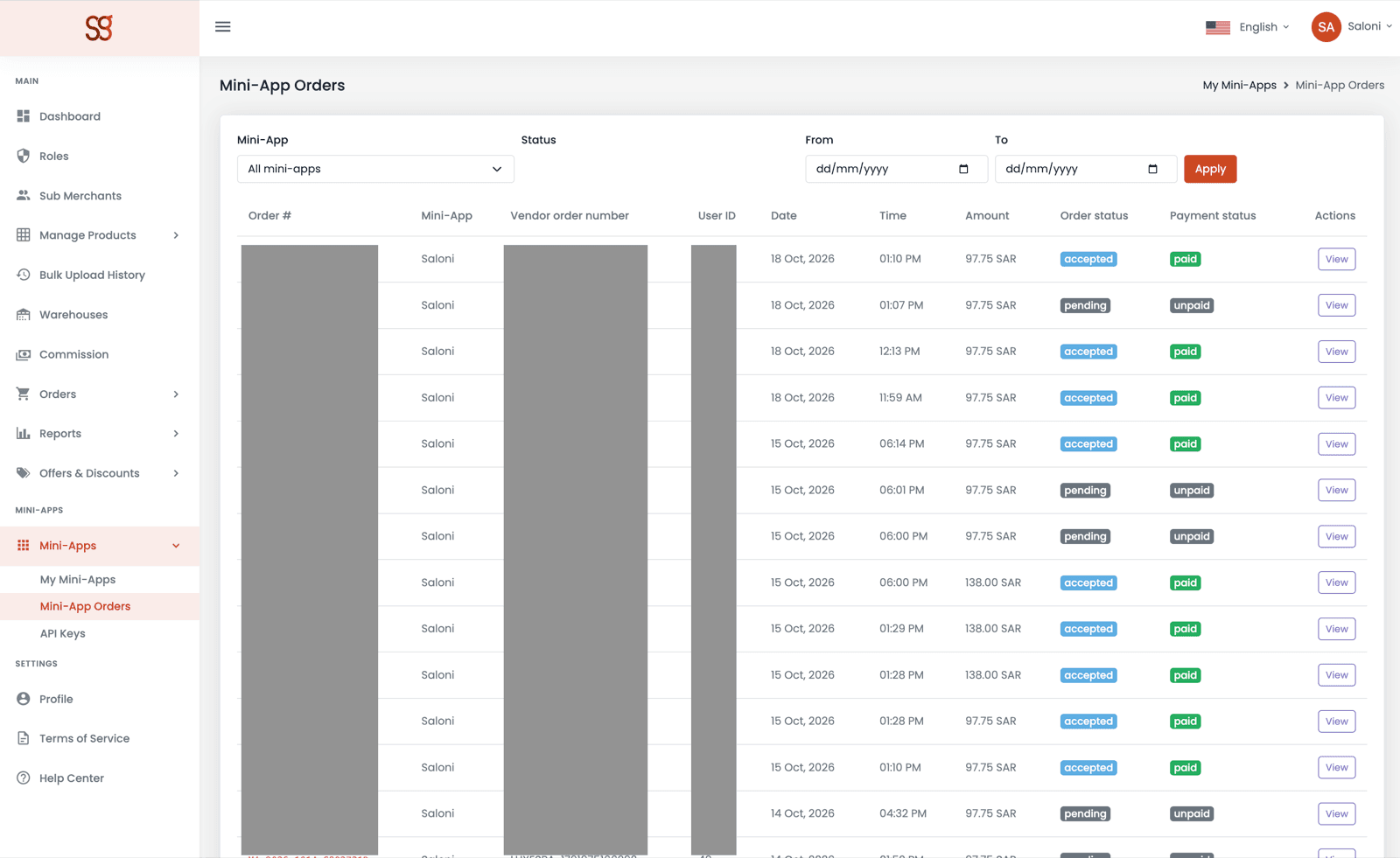
Each row shows the Order #, the Vendor order number (your own reference), the user, date and amount, the Order status and the Payment status.
Order details
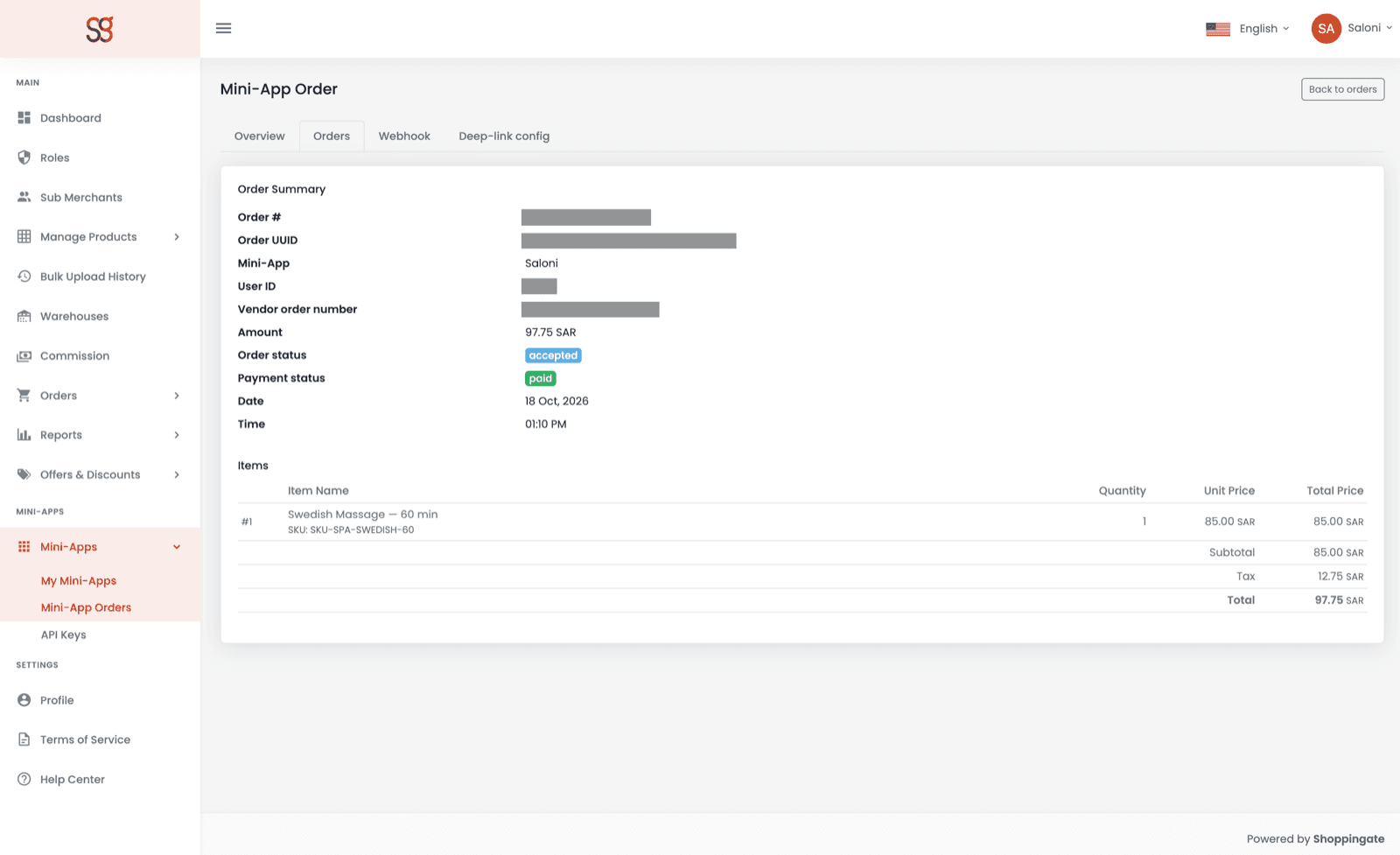
Click View on an order to see its summary and items — each item's name, SKU, quantity and price, with the subtotal, tax and total.