ShoppingateShoppingateDevelopers
shoppinggate.app ↗
Documentation
  • What is a Mini App
  • Why Mini Apps
  • API integration
  • SDK
  • Webview
  • Mini App architecture
  • Getting started
  • Choosing your path
  • Introduction
    • Introduction
    • Sign up & login
    • Dashboard & analytics
    • Mini-Programs
    • Submit & publish a version
    • App Binding
    • Privacy Settings
    • Allowed URL
    • Users & roles
    • Introduction
    • Become a Mini-App vendor
    • API keys
    • My Mini-Apps
    • Orders
    • Webhook
    • Deep-link config
    • Introduction
    • Install & log in
    • Create a project
    • The workspace
    • Preview & upload
  • Introduction
  • Configuration
  • Lifecycle
  • Routing & query
  • Host functions
  • orderPayment
  • Permissions
  • User info
  • Introduction
  • Configuration
  • SDK
  • Lifecycle
  • Routing & query
  • Host functions
  • orderPayment
  • Permissions
  • User info
  • Web app and shell calls
  • Look and feel
  • Overview
    • Verify user
    • Create order
    • Get order
    • Update order status
    • Charge an order
    • Send a notification
  • Subscriptions
    • Create a subscription
    • List subscriptions
    • Get a subscription
    • Update a subscription
    • Reschedule next charge
    • Change plan (upgrade)
    • Cancel a subscription
  • Webhooks
Merchant portal

My Mini-Apps

Your Mini Apps and their details. Each Mini App has four tabs: Overview, Orders, Webhook and Deep-link config.

Open Mini-Apps → My Mini-Apps and select a Mini App. The Overview tab shows its details.
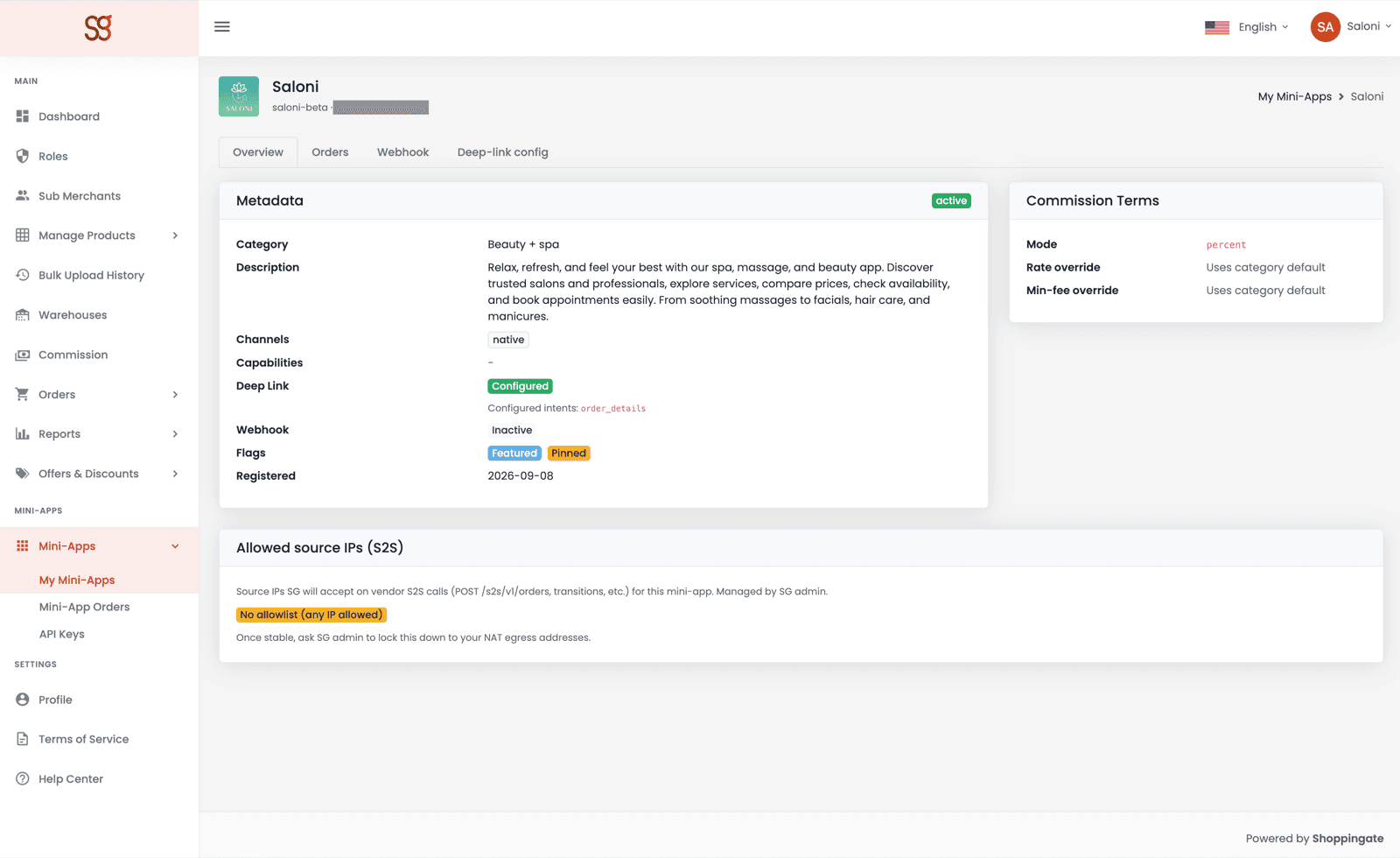
The Overview tab of a Mini App with Metadata, Commission Terms and Allowed source IPs

Metadata

Category, Description
Your Mini App's category and description.
Deep Link
Whether deep links are configured, and which intents. See Deep-link config.
Webhook
Whether your webhook is active. See Webhook.
Flags
Where Shoppingate shows your Mini App in the app — Featured and Pinned, explained below.
Registered
When your Mini App was added.

Commission Terms shows the commission that applies to your Mini App.

Featured and Pinned

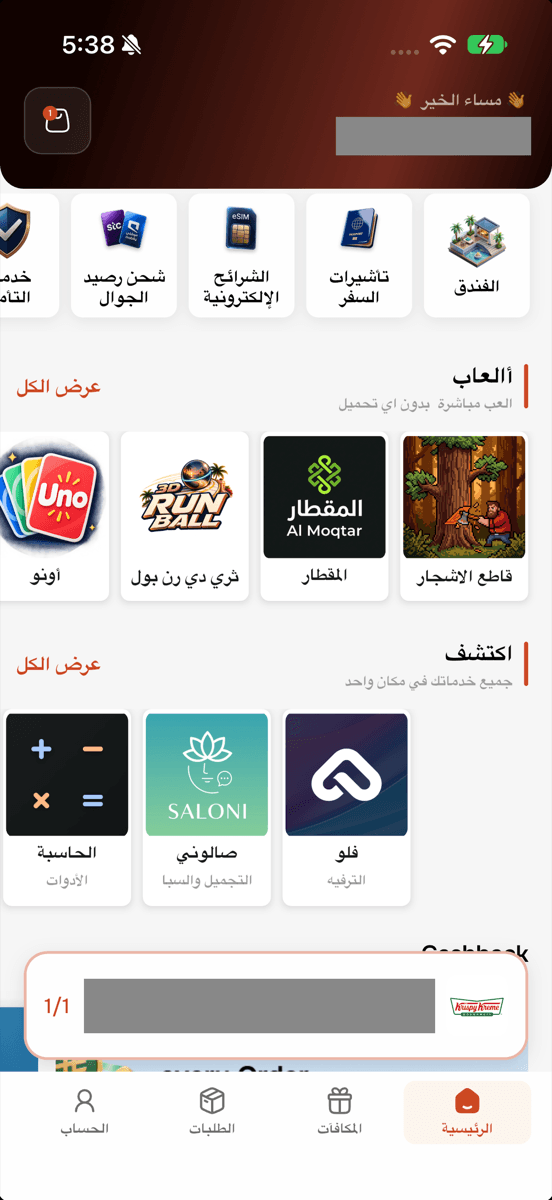
  • Featured — your Mini App appears in the animated header of the Mini Apps screen.
  • Pinned — your Mini App appears on the home page of the Shoppingate app.
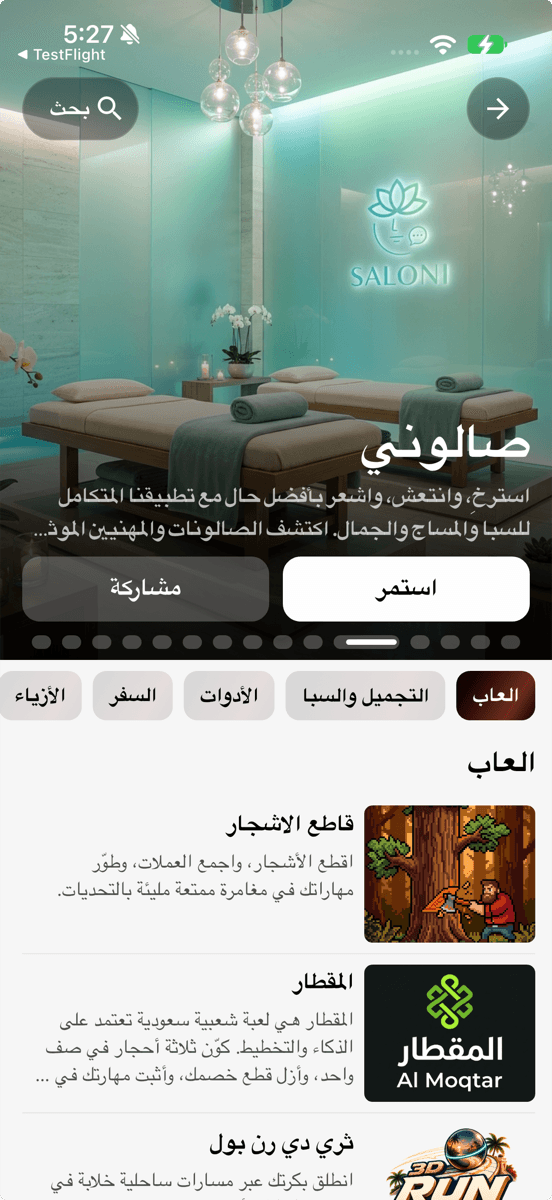
The Mini Apps screen in the Shoppingate app with Saloni in the animated header
Featured — Mini Apps screen header
The Shoppingate app home page with pinned Mini Apps
Pinned — home page

Allowed source IPs (S2S)

The server IPs Shoppingate accepts your backend's server-to-server calls from — for example POST /s2s/v1/orders. This list is managed by the Shoppingate admin.

No allowlist (any IP allowed) means calls are accepted from any IP. Once your setup is stable, ask the Shoppingate admin to lock it down to your server's addresses.